
Manage, cancel or restore your subscription
Change or cancel Premium through your Apple Account, and restore it on a new phone.
Premium bought in the iPhone app is billed by Apple.
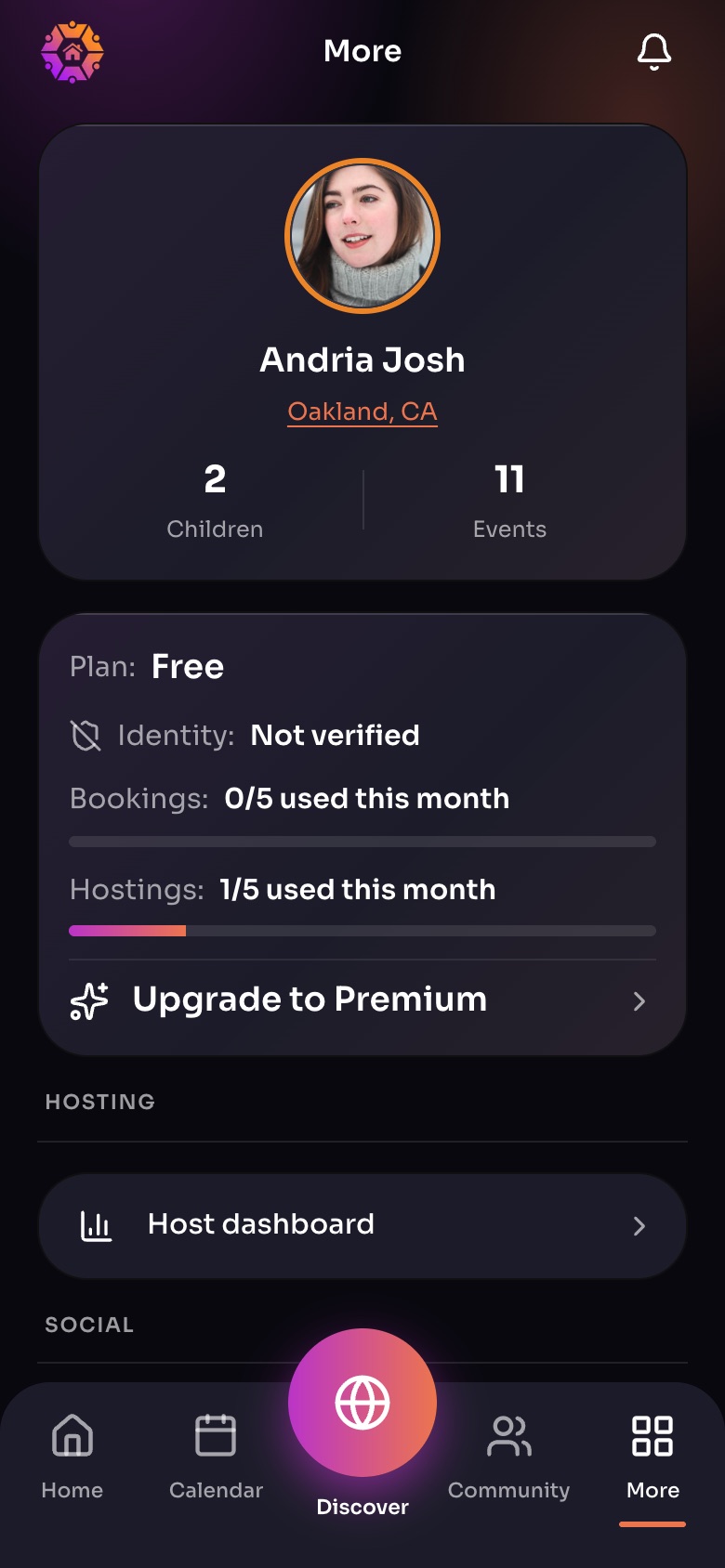
The More tab
- Your profileTap to see or edit your family profile.
- Your planFree or Premium, and how much of this month you have used.
- Upgrade to Premium
- Host dashboard
Sample family shown. Your screen shows your own name, Experiences and groups.
Change or cancel
- On your iPhone, open Settings, tap your name, then Subscriptions. Or in WorldSchool, open Settings › Manage Subscription when it is shown.
- Choose WorldSchool, then change your plan or cancel.
Premium stays on until the end of the period you paid for.
Restore on a new phone
Sign in with the same Apple Account, open the Premium screen, and tap Restore purchases.
Refunds for a subscription
Apple handles subscription refunds. Request one at reportaproblem.apple.com.
Did this answer your question?
Still need help?
Send the team a request and a person will answer, usually within two working days.