
What booking statuses mean
Requested, Pending approval, Confirmed, Booked and Ended: what each status means and what to do.
Statuses read the same on the Experience, in your Calendar and in My Bookings.
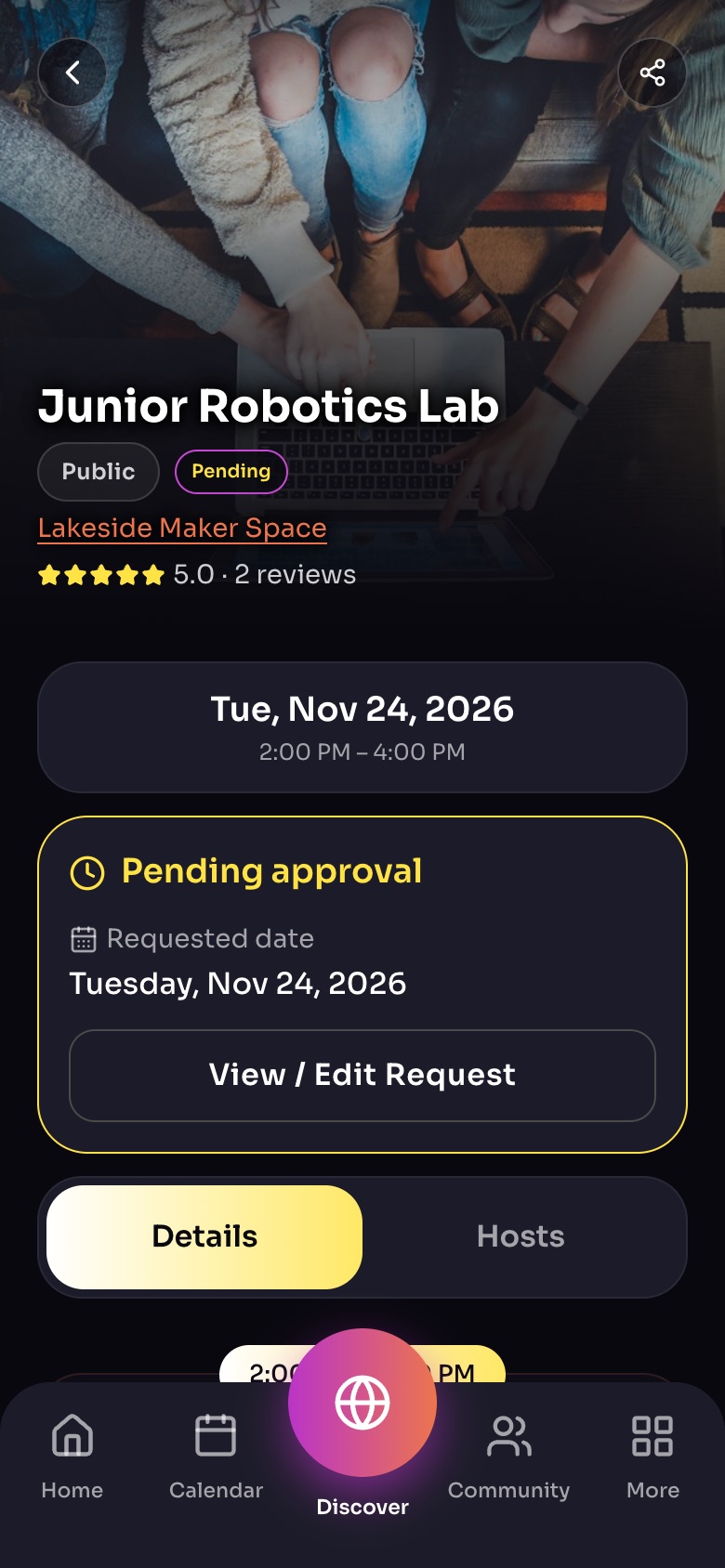
An Experience page after a booking request
- ShareSend the link by text, email or social media.
- Your booking statusPending until the host approves; then Confirmed.
- View / Edit RequestChange dates or guests, or cancel.
- Details / HostsSwitch between the Experience and who hosts it.
Sample family shown. Your screen shows your own name, Experiences and groups.
The statuses
- Requested / Pending approval: the host approves each booking. You will see "Request sent, waiting for host approval". We notify you when they answer.
- Confirmed / Booked: you have a seat. If the host asked to be paid directly, pay them as their Experience says.
- Ended: the date has passed. You may be asked to leave a review.
Series and repeating Experiences
For a repeating Experience, the badge shows the next date you hold a seat for.
Badge colours
The outline shows whose it is: orange for Experiences you host, purple for ones you booked. The word and icon show the booking's state.
Tip: If your request stays pending for a while, message the host from the Experience. Hosts get a notification for every request.
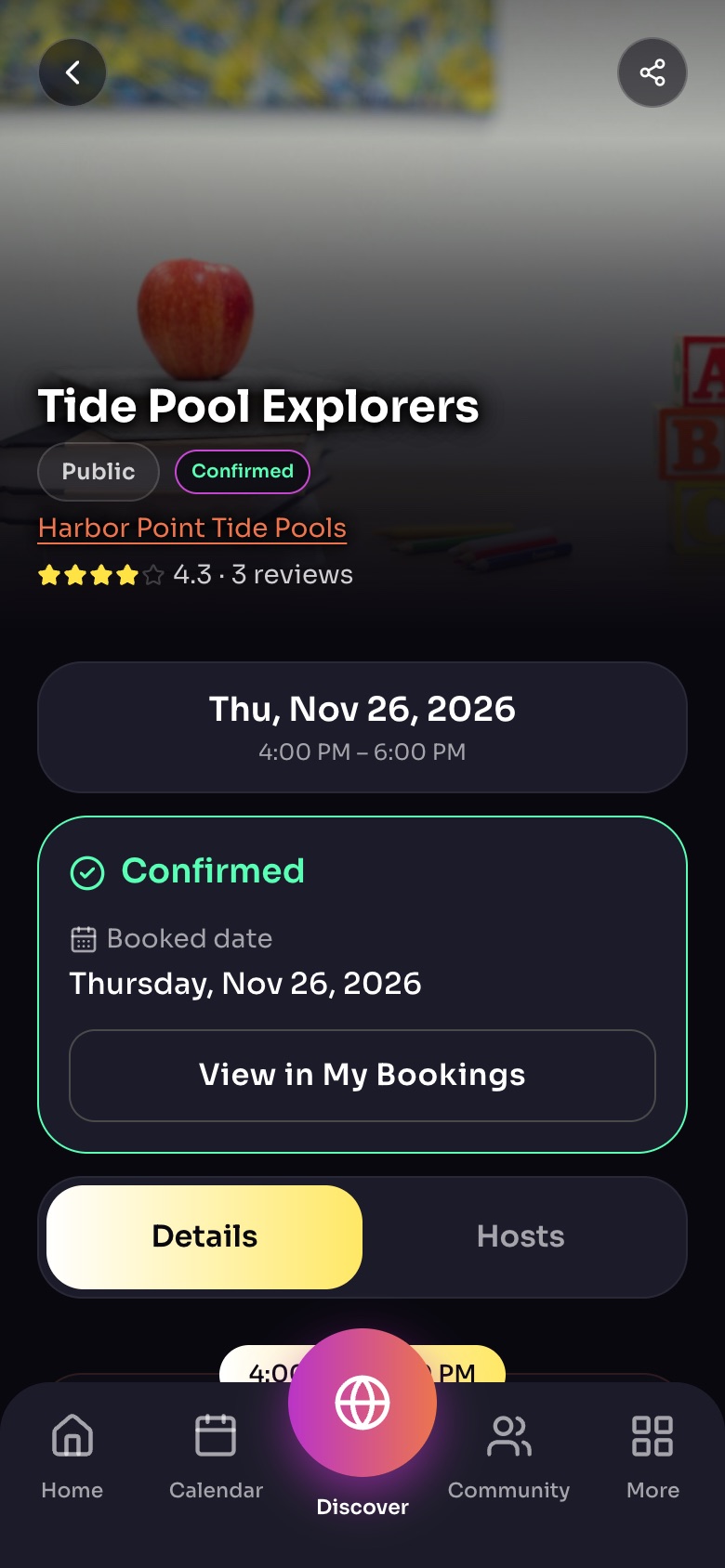
An Experience page once your booking is confirmed
- ConfirmedYour spot is held. It shows here, on Home and in Calendar.
- View in My Bookings
Sample family shown. Your screen shows your own name, Experiences and groups.
Still need help?
Send the team a request and a person will answer, usually within two working days.