
Cancel a booking
How to cancel a seat you booked, and how the host’s refund policy decides what comes back to you.
Cancel
- Open the Experience from Calendar › My Bookings or More › My Bookings.
- Choose to cancel your booking and pick the dates or people to cancel.
- Confirm. The host is notified and your seat goes to the next family.
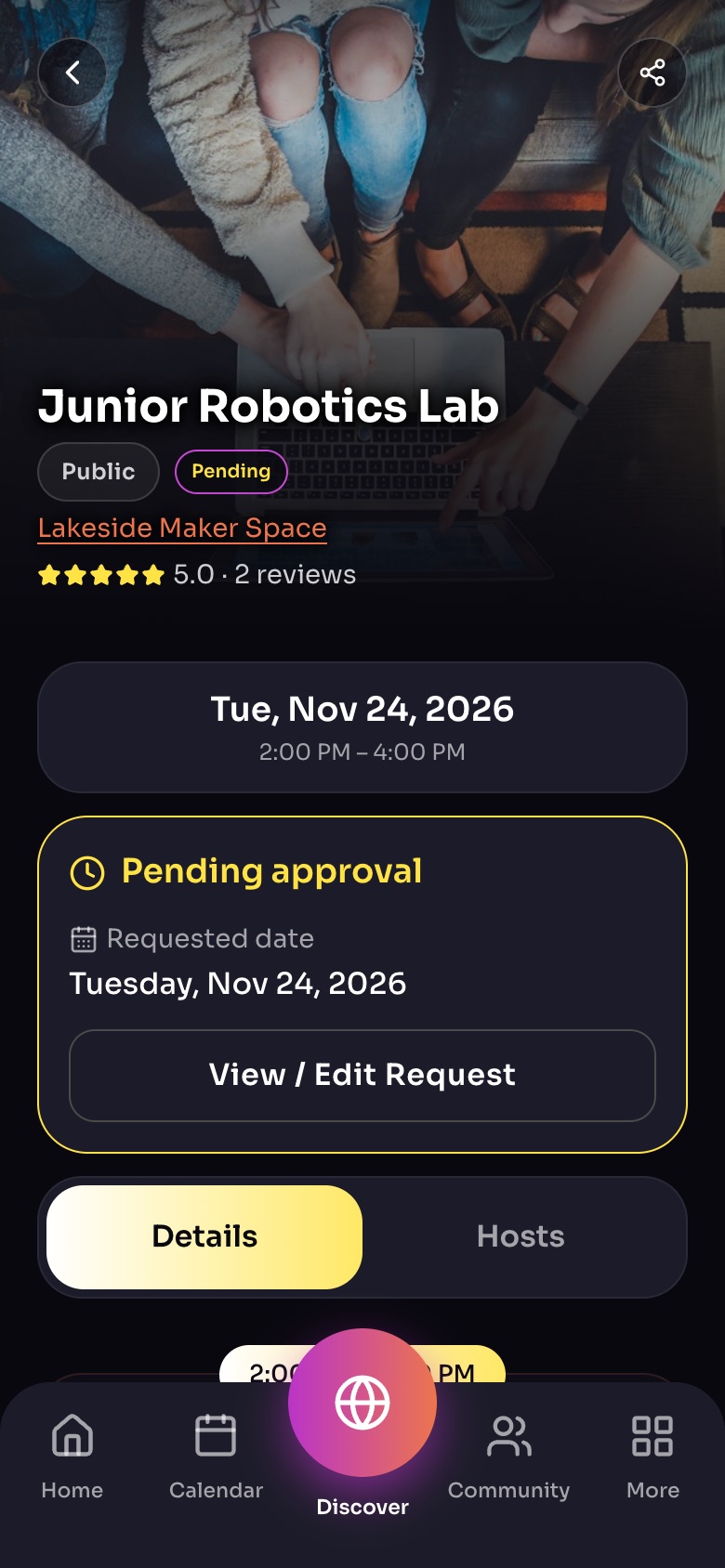
An Experience page after a booking request
- ShareSend the link by text, email or social media.
- Your booking statusPending until the host approves; then Confirmed.
- View / Edit RequestChange dates or guests, or cancel.
- Details / HostsSwitch between the Experience and who hosts it.
Sample family shown. Your screen shows your own name, Experiences and groups.
Will I get my money back?
It depends on the host's refund policy, which every paid Experience shows before you book:
- Automatic refunds until 24, 48 or 72 hours before, or any time before it starts.
- No refunds.
- Custom: the host approves every refund.
Free Experiences have no refund policy. See Refunds.
Tip: Can't make it? Cancel as early as you can. Someone on the waitlist may be hoping for your seat.
Did this answer your question?
Still need help?
Send the team a request and a person will answer, usually within two working days.