
Filter by age, subject, approach, cost and more
Narrow Discover by what is taught, teaching approach, language, type, when, ages and free or paid, and save filters you use often.
Filters help you see only what fits your family.
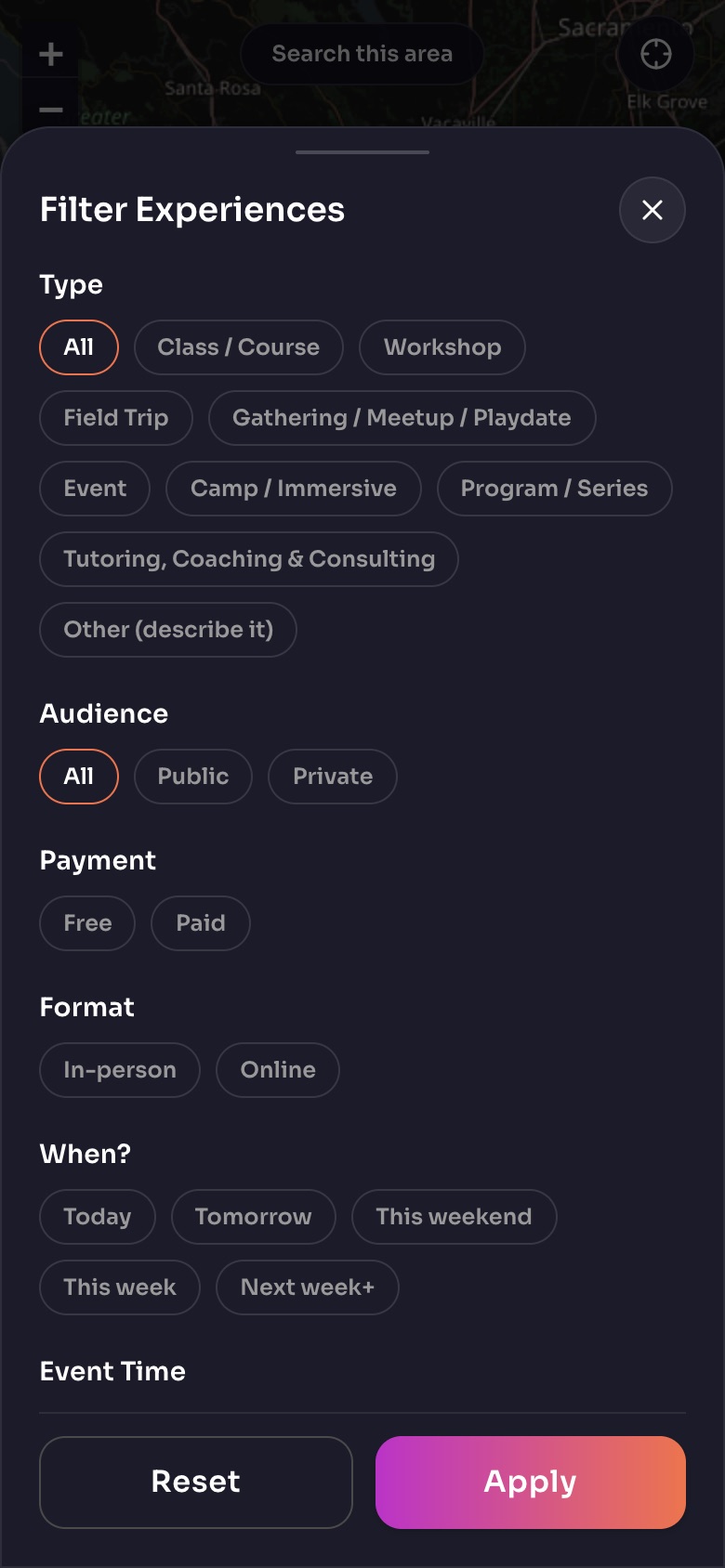
The Filter sheet on Discover
- TypeClasses, workshops, field trips, gatherings and more.
- PaymentFree or paid.
- When?Today, this weekend, next week…
- Apply
Sample family shown. Your screen shows your own name, Experiences and groups.
Open the filters
- In Discover, open the filter button to get Filter Experiences (or Filter Hosts on the Community side).
- Choose any of: what it teaches, teaching approach, the language it is in, the type of Experience, when it happens, children's ages, and whether it is free.
- Close the sheet to see the results on the map and in the list.
Save your filters
Tap Save these filters to keep a set you use often, and open it later from Saved filters. Reset all filters clears everything.
Teaching approaches you can choose
Montessori, Waldorf / Steiner, Forest school, Reggio Emilia, Charlotte Mason, Classical, Project-based, Unschooling and self-directed, Sudbury and free schools, Unit studies, Gameschooling, and Eclectic / hybrid.
Note: The same filter list is coming to Discover, the directory and the Resource Library, so a filter means the same thing everywhere.
Still need help?
Send the team a request and a person will answer, usually within two working days.