
Get invite codes for your group, school or business
Need to invite many families? Request one group code that many people can use.
Request a group code
- Open More › Invite a Friend and find Need more codes?.
- Enter the group or community name and what kind it is: Homeschool group, School or class, Business or program, or Friends & family.
- Add a website or social page and a few words, if you like.
- Say how many invites you need and tap Request Invites.
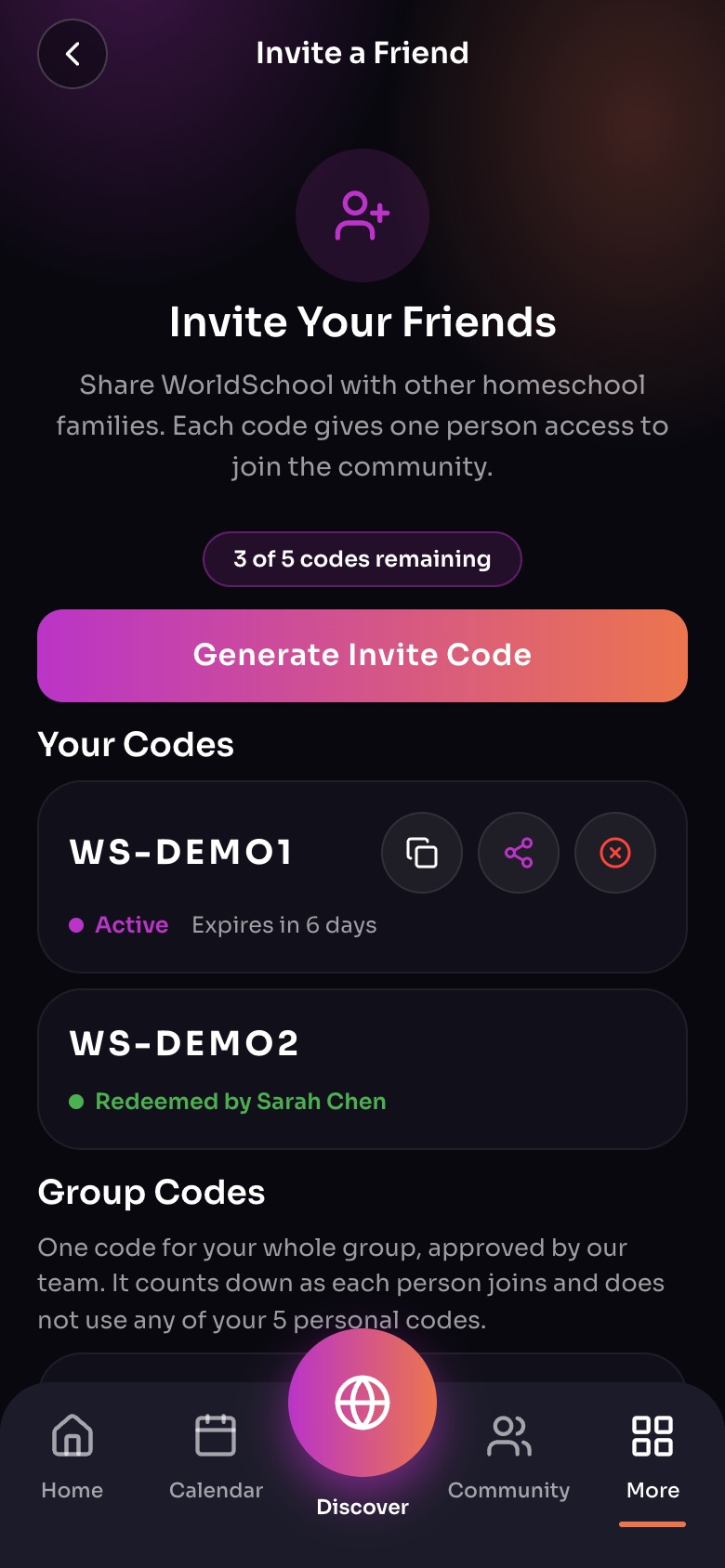
Invite a Friend (More, then Invite a Friend)
- Codes leftFive personal codes; each lets one person join.
- Generate Invite Code
- A codeCopy it, share it, or cancel it. Active until it is used or expires.
- Group CodesOne code for a whole group, approved by our team.
Sample family shown. Your screen shows your own name, Experiences and groups.
The WorldSchool team reviews each request and may grant fewer invites than asked. You will see Pending approval, then Approved or Declined.
Using it
You get one code, with a QR code and link, that many people can use. Under Group Codes it counts down as families join: "N of M used". Group codes never use up your 5 personal codes.
Did this answer your question?
Still need help?
Send the team a request and a person will answer, usually within two working days.