
See who is coming and take attendance
View your roster, guests and notes, message families, and mark direct payments paid.
Your roster
Open your Experience from Calendar › My Hostings or More › My Hostings. The roster lists each family, the children and guests coming, their notes, and allergies or special notes they shared.
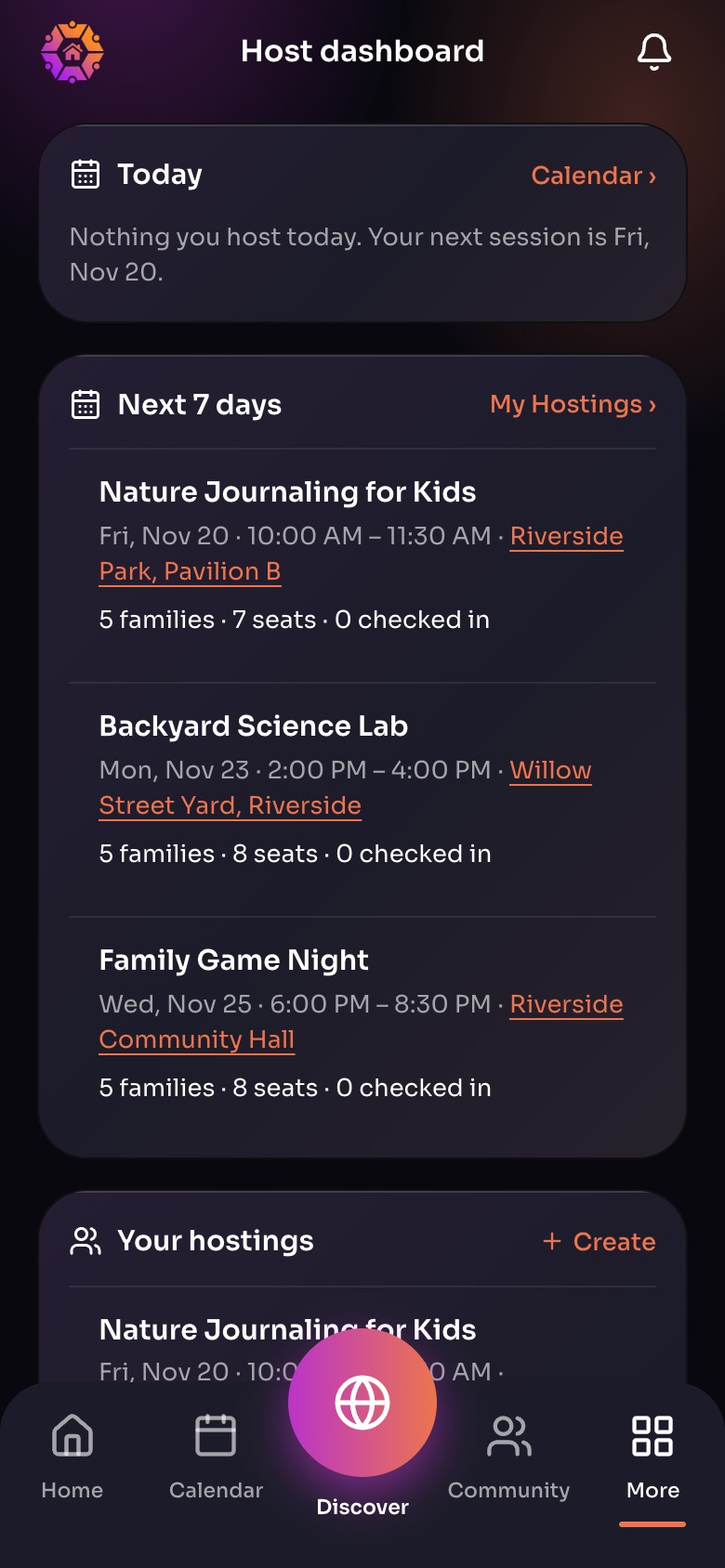
The Host dashboard (More, then Host dashboard)
- TodayWhat you host today, with check-in.
- Next 7 daysFamilies, seats and who has checked in for each session.
- Your hostings
Sample family shown. Your screen shows your own name, Experiences and groups.
Message families
Every Experience has a Class Chat with the families who booked. As the host you cannot leave it, but you can mute it.
Take attendance
Mark who came on the day from the roster.
On a computer
The web app's Host dashboard puts all your Experiences, rosters and earnings on one screen.
Did this answer your question?
Still need help?
Send the team a request and a person will answer, usually within two working days.