
Approve or decline booking requests
Choose automatic, hybrid or manual approval, and answer requests quickly.
Choose how people join
Set Attendee approval on the Experience:
- Automatic: anyone can join instantly.
- Hybrid: friends join instantly; everyone else needs your approval.
- Manual: you approve each request.
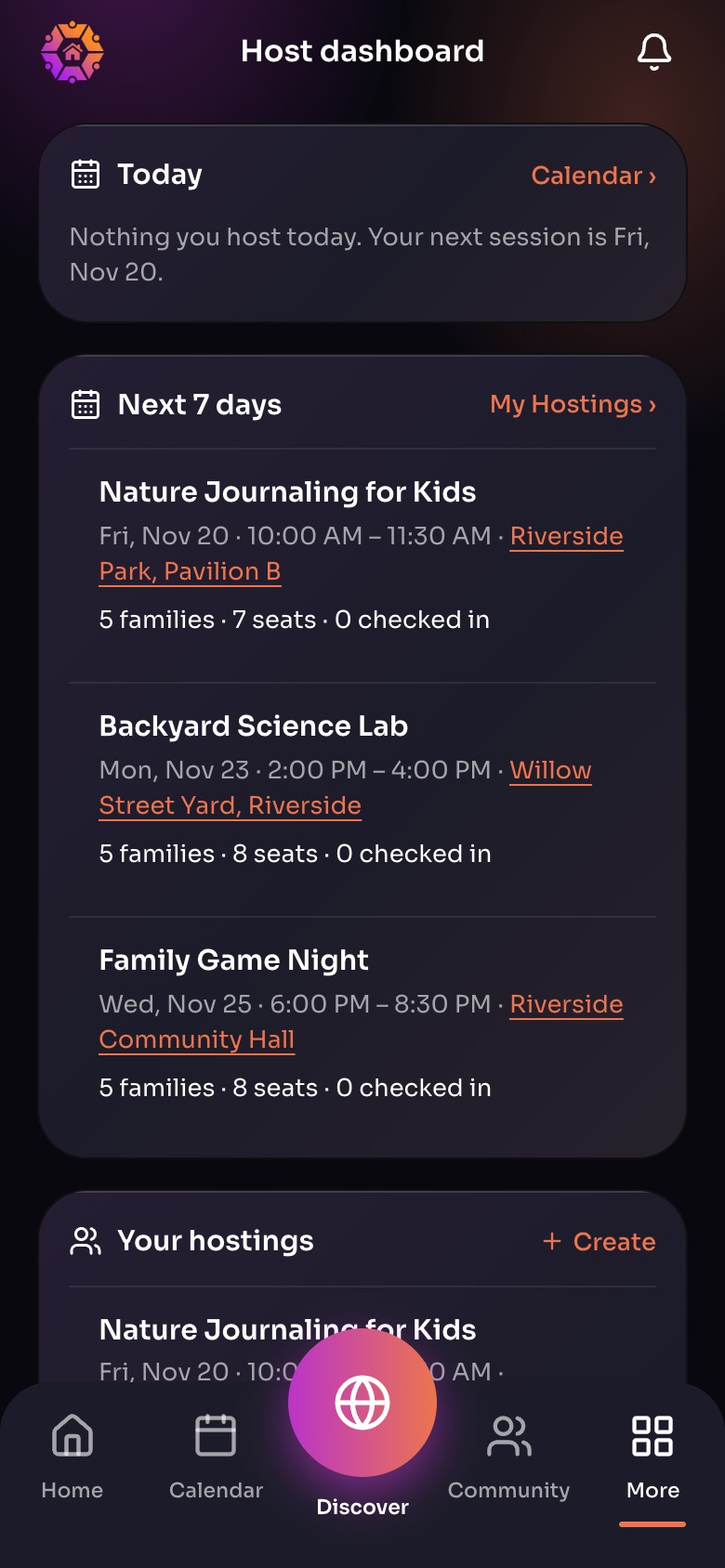
The Host dashboard (More, then Host dashboard)
- TodayWhat you host today, with check-in.
- Next 7 daysFamilies, seats and who has checked in for each session.
- Your hostings
Sample family shown. Your screen shows your own name, Experiences and groups.
Answer requests
- You get a notification for every request. Open it, or go to More › Pending Requests.
- Look at the family and their note.
- Approve or decline. The family is told right away.
Tip: Families wait on your answer, so reply within a day. You can message a family before deciding.
Did this answer your question?
Still need help?
Send the team a request and a person will answer, usually within two working days.