
Messages and group chats
Send messages, photos and files, react and reply, and manage your chats.
Your Inbox is on Home, in Community and in More.
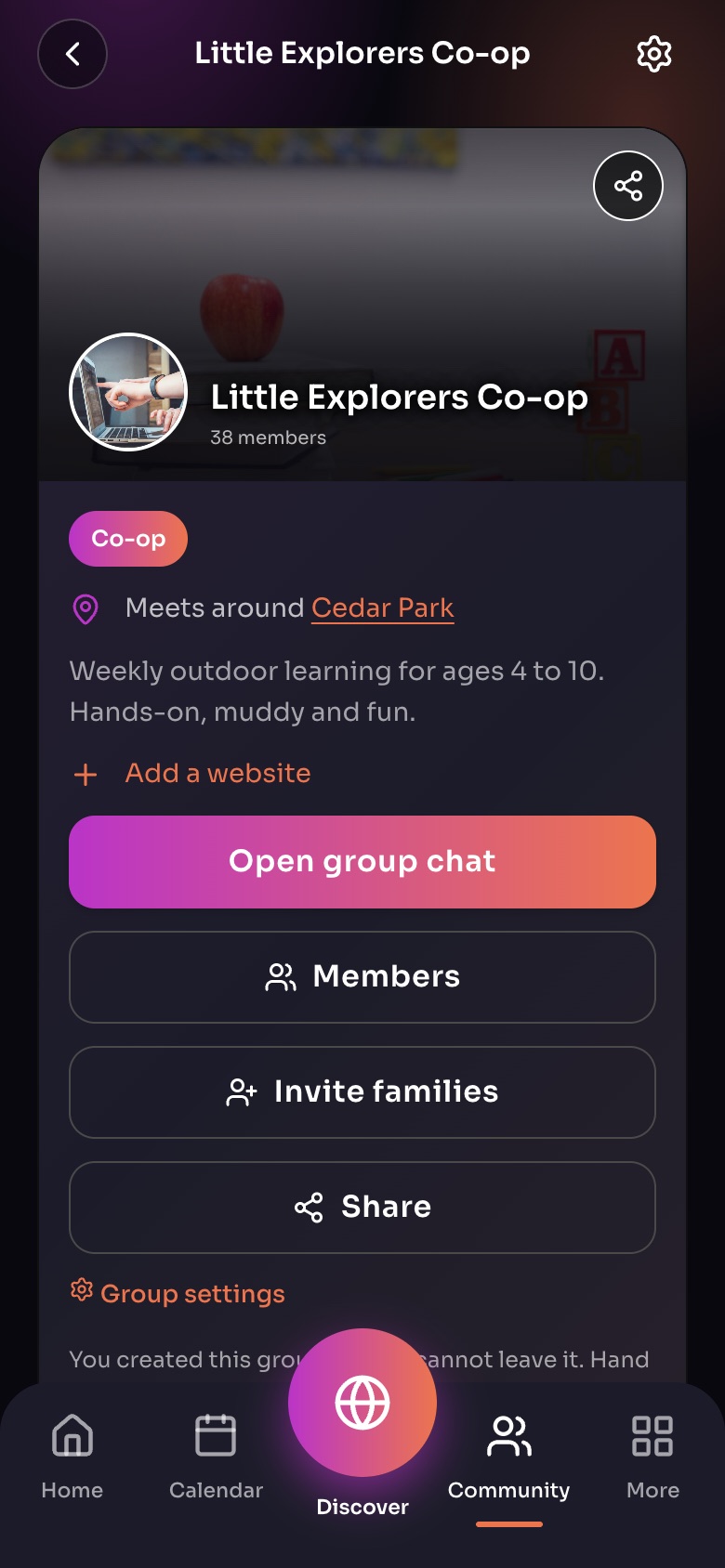
A group page, as its leader sees it
- Open group chat
- MembersEveryone in the group, and their roles.
- Invite families
- Group settingsLeaders only: privacy, roles, payout account and more.
Sample family shown. Your screen shows your own name, Experiences and groups.
Chats
- One-to-one chats with families and hosts.
- Group chats, including each group's chat.
- An Experience's Class Chat with the families who booked it.
Send
Type a message (up to 5,000 characters), or attach a Photo, video or file, up to 3 at a time.
React, reply and forward
Press and hold a message to react, reply, copy or forward it.
Chat options
From the chat's menu: Mute notifications, Leave chat, Delete Chat (the other person keeps their copy), Photos and links shared in it, and add people.
Did this answer your question?
Still need help?
Send the team a request and a person will answer, usually within two working days.