
Group feeds and Discussion Hubs
Post updates with photos and files, react, tag people and join forum conversations.
Group feeds
Each group has a feed for posts and an Updates section with news from the group's leaders.
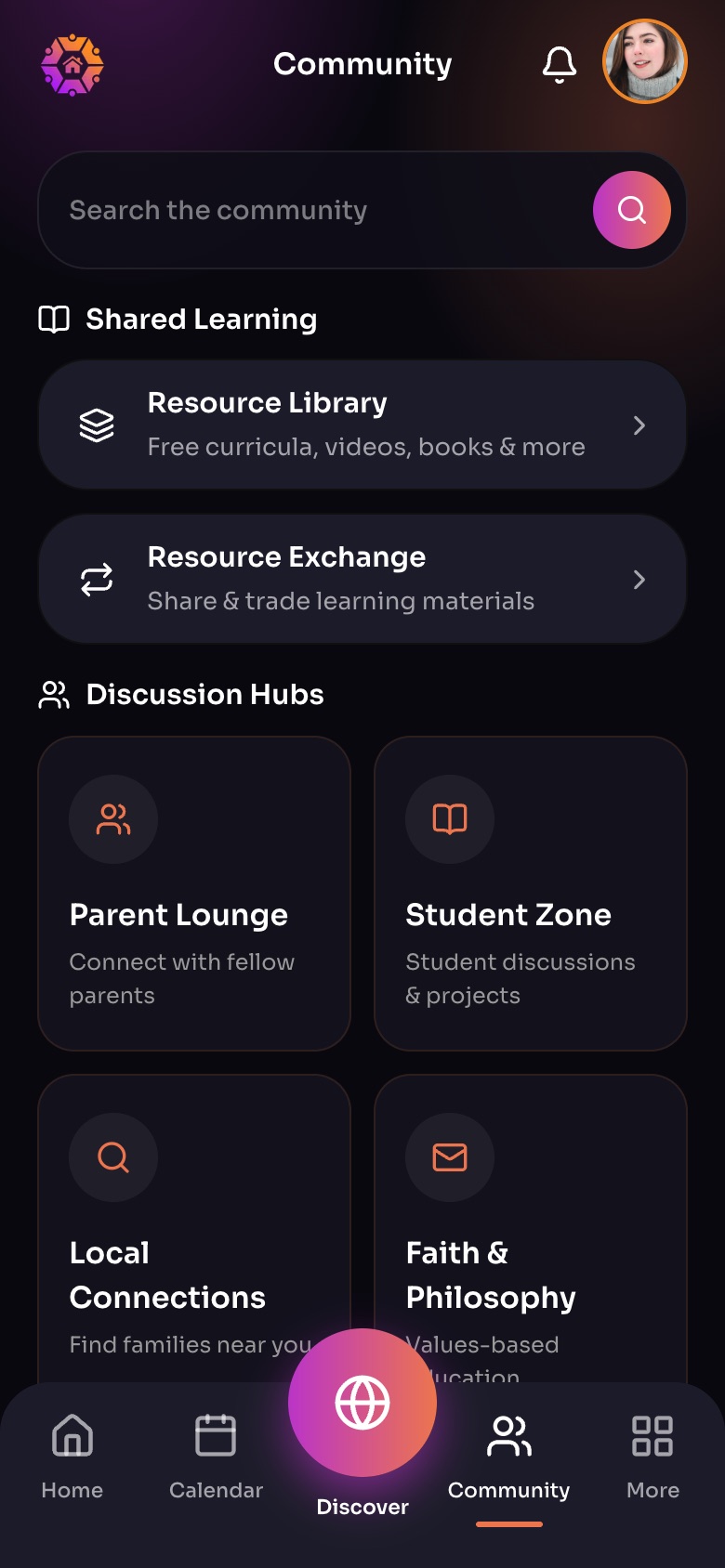
The Community tab
- Resource LibraryFree curricula, videos, books and more.
- Resource Exchange
- Discussion HubsTopic feeds for parents, students and local families.
Sample family shown. Your screen shows your own name, Experiences and groups.
Post
- Start a post in the group's feed. A title is optional.
- Add up to 10 photos or videos and up to 5 PDF or Word files.
- Type @ to tag an adult member.
- Post it. You can edit or delete it later from its menu.
Photos and files can be up to 10 MB each, videos up to 25 MB.
Respond
Upvote, react, and comment. Comments can include up to 4 photos or videos and 3 files.
Discussion Hubs
In Community, the Discussion Hubs are community-wide forums: Parent Lounge, Local Connections, Student Zone, Faith & Philosophy, and Resource Exchange.
Did this answer your question?
Still need help?
Send the team a request and a person will answer, usually within two working days.