
Use the Resource Library
Browse staff picks and resources by subject, save favourites, assign them to a child, and suggest new ones.
The Resource Library is a shared collection of learning resources chosen and suggested by the community.
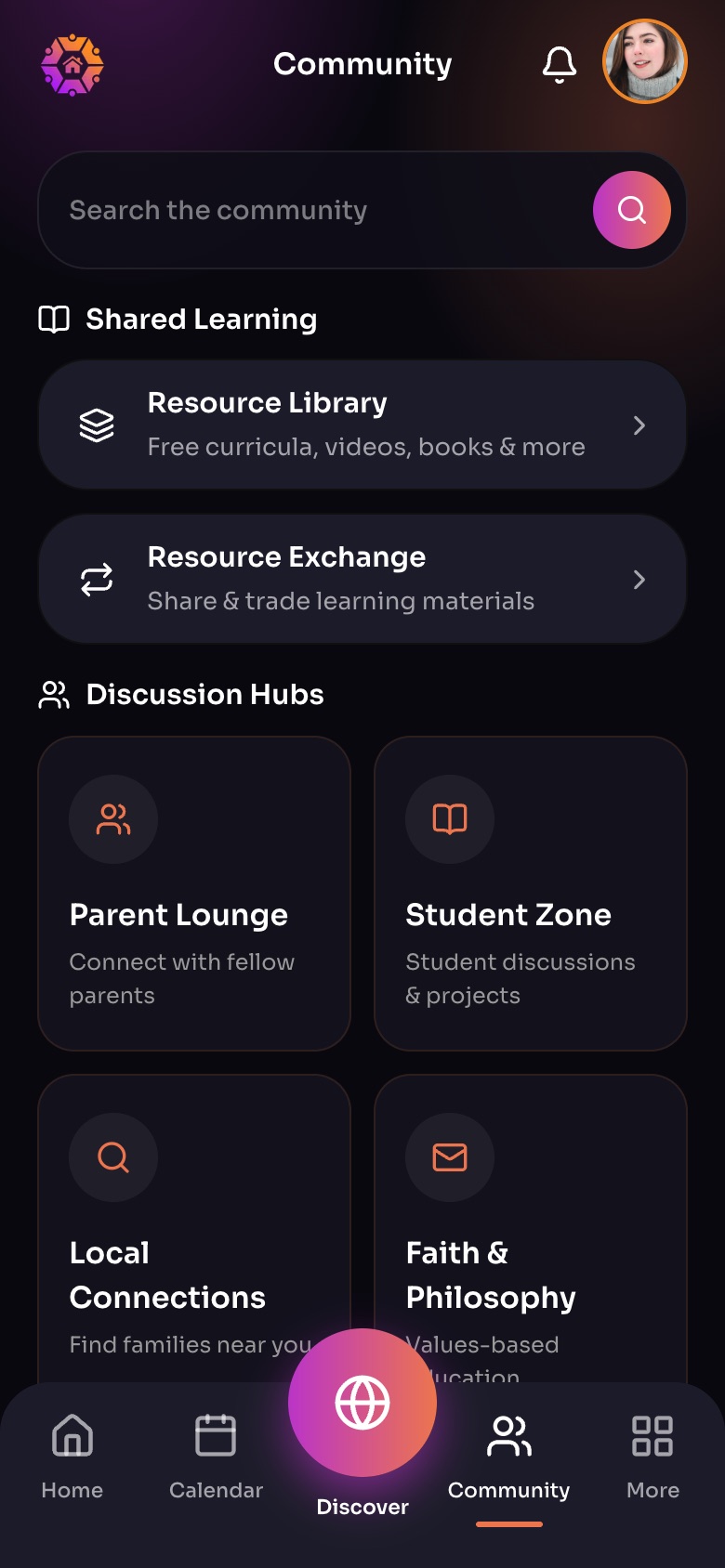
The Community tab
- Resource LibraryFree curricula, videos, books and more.
- Resource Exchange
- Discussion HubsTopic feeds for parents, students and local families.
Sample family shown. Your screen shows your own name, Experiences and groups.
Find resources
Open More › Resource Library or the library in Community. Start with Staff picks, Browse by subject, or filter by subject, teaching approach, ages and free.
Save and assign
- Tap the heart to save a resource. Your saves are in My saved resources and More › Saved Resources.
- Tap Assign to a child to add it to that child's To Do's.
Suggest a resource
- Tap Suggest a resource.
- Add its name, link, kind and price, and why you recommend it. Tick I made this, or work for them if that is true.
- Send it. Our team reviews every suggestion; follow it in My suggestions.
Did this answer your question?
Still need help?
Send the team a request and a person will answer, usually within two working days.